
1. Where the opt-in appears
After a merchant signs their funding agreement on our closing page (contracts.essentiafunding.com, opened from a private link emailed to that merchant), the page shows a separate section titled "Text message and email updates — optional". The merchant can continue to the bank-connection step without touching it. Because the closing page is only reachable through a per-merchant link, the screenshots below show the exact step as it renders.
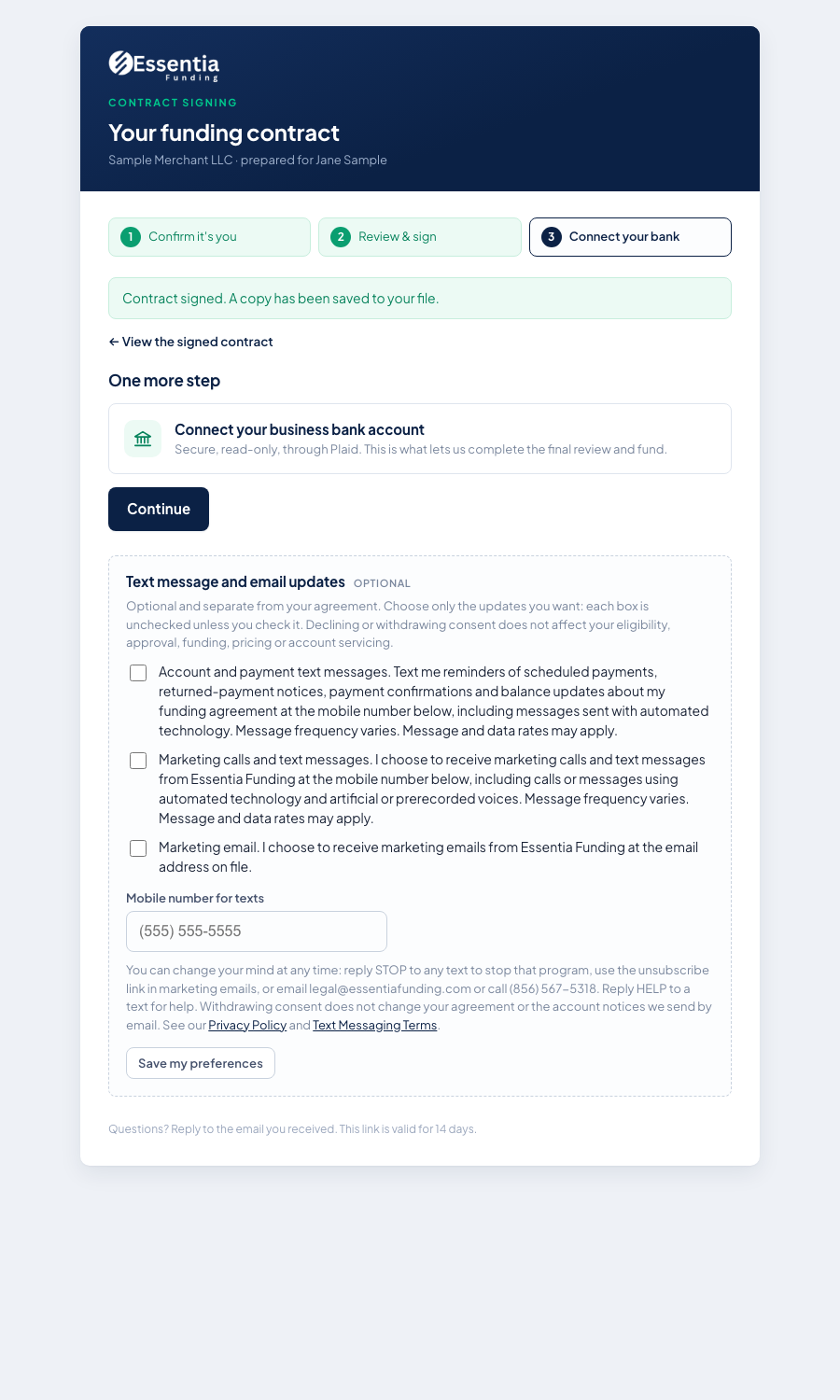
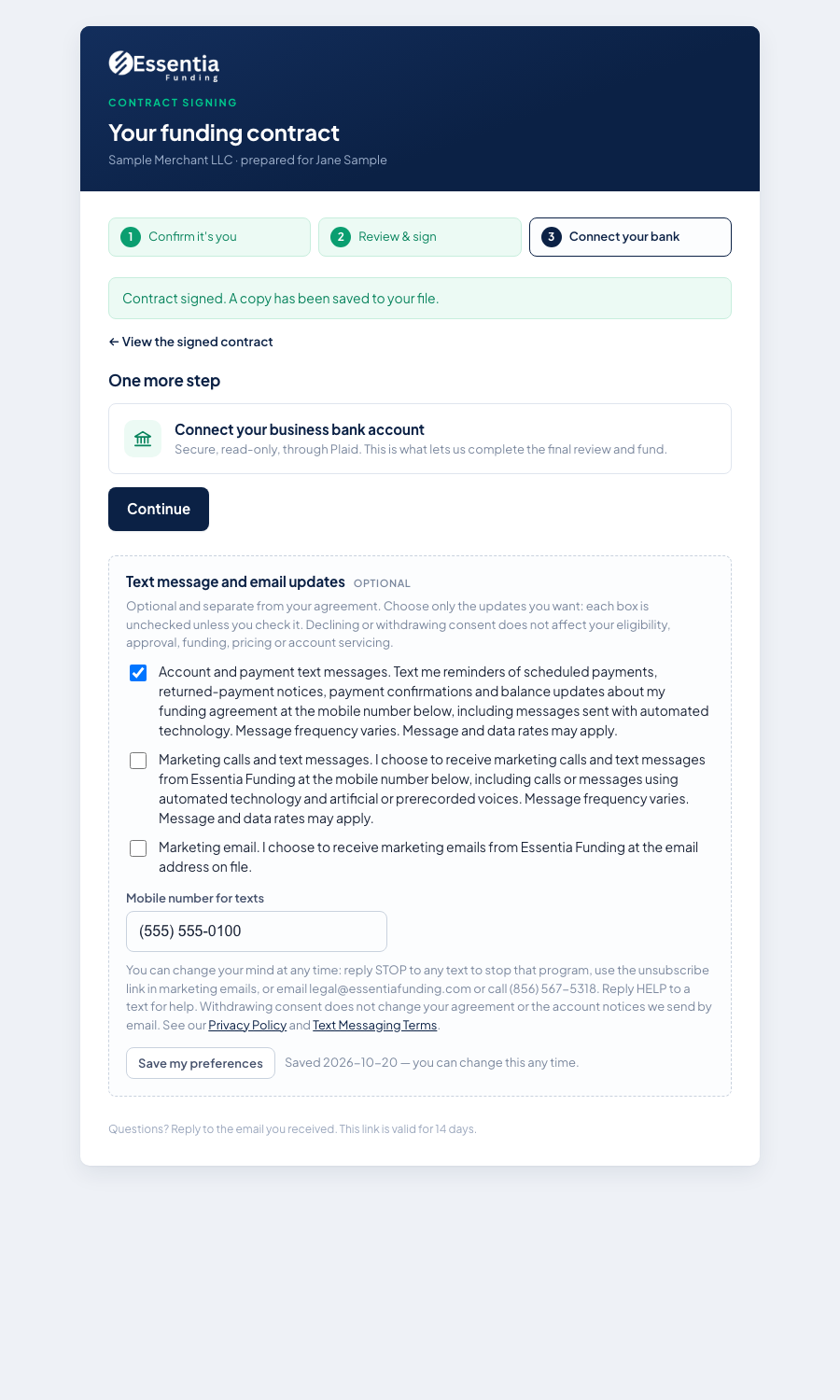
Phone-width views: before · after.


2. The exact wording of the step
This is the live wording (version 2026-10-19). You can try it here: nothing is saved from this page.
Optional and separate from your agreement. Choose only the updates you want: each box is unchecked unless you check it. Declining or withdrawing consent does not affect your eligibility, approval, funding, pricing or account servicing.
You can change your mind at any time: reply STOP to any text to stop that program, use the unsubscribe link in marketing emails, or email legal@essentiafunding.com or call (856) 567-5318. Reply HELP to a text for help. Withdrawing consent does not change your agreement or the account notices we send by email. See our Privacy Policy and Text Messaging Terms.
3. What happens after the merchant saves
- The page confirms the saved choices ("Saved … you can change this any time"). The merchant can change them on the same page at any time.
- We record the choices, the mobile number, the wording version, the IP address and the timestamp with the merchant's file. A merchant who checked nothing is not enrolled and is not texted.
- The merchant receives this confirmation text from (609) 297-8085:
4. Opting out and getting help
- Reply STOP (or CANCEL, QUIT, UNSUBSCRIBE, END) to any text to stop. Reply: "Essentia Funding: you have been unsubscribed from account and payment texts. No more messages will be sent. Reply START to resubscribe."
- Reply HELP (or INFO) for help: "Essentia Funding account texts. For help email legal@essentiafunding.com or call (856) 567-5318. Msg frequency varies. Msg and data rates may apply. Reply STOP to opt out."
- Reply START re-enrolls a merchant who previously opted out. We never buy, rent or share mobile numbers or opt-in data.
Privacy Policy · Text Messaging Terms and Conditions
Essentia Funding, LLC · legal@essentiafunding.com · (856) 567-5318